Apple has once again caught users off guard with a surprise iOS update, and this time it’s not just the newest iPhones benefiting. In an unexpected move, Apple rolled out an update that includes support for several older models, delighting users who assumed their devices were nearing the end of the road.
The update, released quietly without a major keynote or event, underscores Apple’s long-standing reputation for extended device support—often far beyond what many Android manufacturers offer. But what exactly is included in this update, which devices are supported, and why did Apple choose to release it now?
Let’s break it all down.
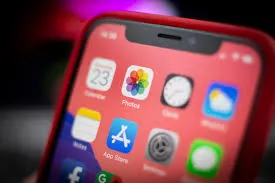
A Surprise iOS Update—Why It Matters
Apple typically aligns major iOS releases with new hardware launches or annual developer events. This update, however, arrived with little fanfare, immediately sparking curiosity and discussion online.
For many users, the biggest shock wasn’t the update itself—but how far back Apple extended compatibility.
In an era where software support often drops after a few years, Apple’s decision reinforces a key part of its ecosystem strategy: longevity.
The Full List of Supported iPhone Models
One of the most searched questions following the update was simple: “Is my iPhone included?”
According to Apple’s release notes, the update supports a wide range of devices, including several older-generation iPhones that many expected to be excluded.
iPhones Supported by the Latest iOS Update
-
iPhone 14 series
-
iPhone 13 series
-
iPhone 12 series
-
iPhone 11 series
-
iPhone XS and XS Max
-
iPhone XR
-
iPhone X
-
iPhone 8 and 8 Plus
-
iPhone SE (2nd and 3rd generation)
For owners of devices like the iPhone 8 or iPhone X, this update feels almost like a bonus round—extra time before considering an upgrade.
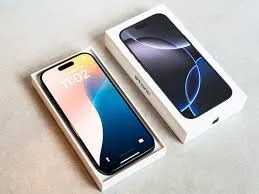
What’s Actually Included in the Update?
While this isn’t a full-number iOS overhaul, the update still delivers meaningful improvements.
Key Highlights
-
Critical security patches addressing newly discovered vulnerabilities
-
Performance optimizations, especially for older hardware
-
Minor bug fixes affecting battery usage and app stability
-
Background system improvements designed to reduce crashes
Apple has not positioned this update as feature-heavy, but rather as stability- and security-focused—a move widely praised by cybersecurity experts.
Why Apple Released This Update Now
Apple’s timing is no accident.
Several factors likely influenced the decision:
-
Rising security threats targeting mobile operating systems
-
Increased scrutiny around data protection and privacy
-
A growing installed base of older iPhones still in daily use
With millions of users worldwide relying on older devices, Apple appears intent on closing security gaps quickly, rather than waiting for a major iOS cycle.
Performance on Older Devices: What Users Are Saying
Early user feedback suggests that Apple paid close attention to performance tuning.
Owners of older models report:
-
Smoother app launches
-
Reduced random slowdowns
-
More consistent battery behavior
Importantly, there have been fewer complaints of performance drops, a common fear whenever older hardware receives new software.
Battery Life: A Critical Concern Addressed
Battery degradation is often the Achilles’ heel of older iPhones. While this update doesn’t magically restore battery health, Apple has introduced optimizations aimed at:
-
Reducing background drain
-
Improving idle power consumption
-
Enhancing charging efficiency
For users who’ve already replaced their battery once, this update could extend usability even further.
Security First: Why This Update Is Important
Apple emphasized security in its technical notes, highlighting fixes for vulnerabilities that could allow:
-
Unauthorized app access
-
Data leaks
-
Malicious code execution
In today’s environment—where smartphones store everything from banking details to personal photos—security updates are not optional.
Experts strongly recommend installing the update as soon as possible, especially on older devices that may no longer receive frequent attention.

How to Install the Update
Installing the update is straightforward:
-
Open Settings
-
Tap General
-
Select Software Update
-
Download and install
Before updating, Apple advises users to:
-
Back up their device
-
Ensure at least 50% battery or connect to power
-
Use a stable Wi-Fi connection
What This Means for Apple’s Long-Term Strategy
This unexpected update reinforces several key aspects of Apple’s philosophy:
-
Device longevity is a selling point
-
Software support is central to brand trust
-
User retention matters as much as new sales
By keeping older iPhones secure and usable, Apple strengthens customer loyalty—even among those not ready to upgrade.

How Apple Compares to the Competition
When compared to other smartphone manufacturers, Apple’s support window remains exceptional.
While many Android devices stop receiving updates after three to four years, Apple routinely supports iPhones for five to seven years—sometimes longer.
This difference increasingly influences buying decisions, particularly among cost-conscious consumers.
Should You Update If You Have an Older iPhone?
For most users, the answer is a clear yes.
Reasons to update include:
-
Improved security
-
Better system stability
-
Continued app compatibility
Unless your device is already experiencing severe hardware issues, the benefits far outweigh the risks.
What This Update Does Not Include
It’s important to set expectations.
This update does not bring:
-
Major visual redesigns
-
New flagship features exclusive to newer models
-
Advanced AI tools reserved for the latest hardware
Instead, Apple focused on reliability—arguably the most valuable upgrade for older phones.
User Reactions: Relief and Appreciation
Online reactions have been overwhelmingly positive.
Common sentiments include:
-
Gratitude for extended support
-
Surprise at Apple’s generosity
-
Renewed confidence in sticking with older devices
For many, the update delays the need for a costly upgrade—welcome news in uncertain economic times.

The Bigger Picture: Sustainability and E-Waste
Beyond user convenience, extended software support has environmental implications.
Keeping devices functional longer helps:
-
Reduce electronic waste
-
Lower demand for new hardware production
-
Support Apple’s sustainability goals
In this sense, the update aligns with broader environmental commitments Apple has emphasized in recent years.
Final Thoughts: A Quiet Update With Big Impact
Apple’s unexpected iOS update may not dominate headlines like a new iPhone launch, but its impact is significant.
By supporting older models, strengthening security, and improving performance, Apple once again demonstrates why software longevity remains one of its greatest strengths.
For millions of users holding onto aging iPhones, this update isn’t just a patch—it’s a reminder that their devices still matter.
And in today’s fast-moving tech world, that kind of reassurance goes a long way.
A Big Shift on Wall Street? The SEC Is Considering Ending Quarterly Earnings Reports

A Big Shift on Wall Street? The SEC Is Considering Ending Quarterly Earnings Reports
For decades, quarterly earnings reports have been a cornerstone of the American financial system.
Every three months, publicly traded companies release detailed financial statements that give investors insight into performance, growth, and future expectations.




Comments 0